
What Makes the TI 84 Calculator Useful for Math Students?
What Makes the TI 84 Calculator Useful for Math Students?
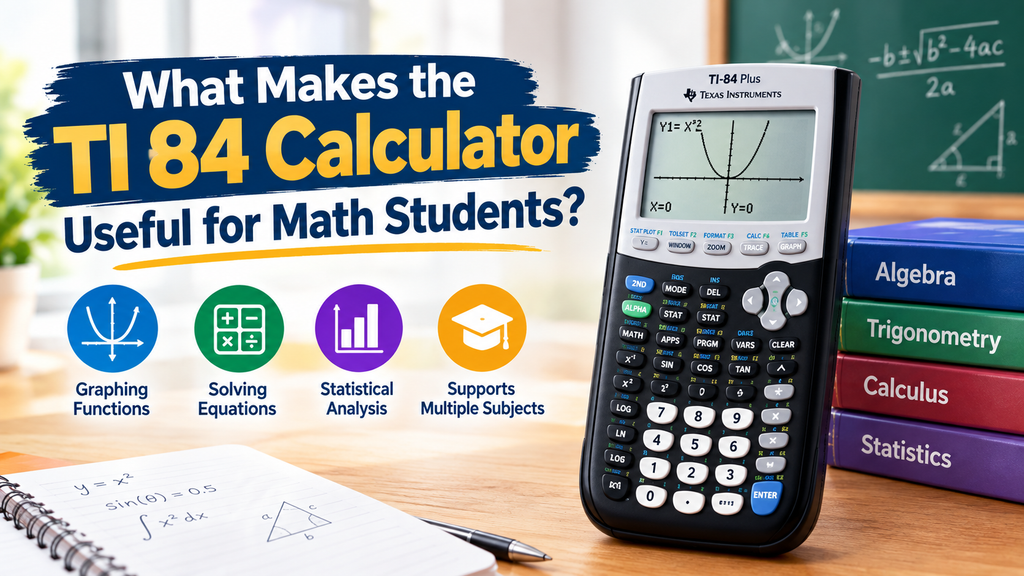
Math can become challenging when students start working with long equations, graphs, and complex calculations. Having the right tools can make these tasks easier and help students understand difficult topics. The ti 84 calculator is a popular graphing calculator that helps students solve problems, study functions, and check their answers.
Unlike basic calculators, it offers features that support algebra, geometry, statistics, and advanced mathematics. Students can create graphs, work with equations, and explore different mathematical ideas using one device. Its simple design and useful functions make it a practical choice for both classroom learning and independent study.
What Is a TI 84 Calculator?
The TI-84 is a graphing calculator developed by Texas Instruments for students studying mathematics and science. It performs basic calculations while offering advanced tools for graphing, statistical analysis, and solving equations.
Its screen allows students to view mathematical expressions, graphs, and numerical results. Many models also support programming, making them useful for exploring mathematical concepts beyond regular classroom exercises.
Students commonly use this calculator in high school and college courses, including algebra, trigonometry, calculus, and statistics.
Key Features of the TI 84 Calculator
Several features make this graphing calculator useful for everyday mathematics. Students can complete different types of calculations without switching between multiple devices.
Graphing Mathematical Functions
Graphing is one of its most helpful features. Students can enter equations and display their graphs directly on the screen.
They can use these graphs to:
- Understand linear and quadratic functions.
- Find intersections between different graphs.
- Identify maximum and minimum values.
- Explore changes in mathematical equations.
- Compare multiple functions simultaneously.
These tools help students connect equations with their graphical representations and better understand mathematical relationships.
Solving Complex Equations
Advanced mathematics often involves calculations that take considerable time when completed manually. A graphing calculator helps students work through these problems more efficiently.
Students can evaluate expressions, find numerical solutions, and check calculations. However, learning the steps behind each problem remains important because calculators cannot replace mathematical understanding.
Statistical Analysis
Statistics becomes easier when students can organize numerical data and perform calculations quickly.
The calculator supports several statistical functions, including mean, median, standard deviation, and regression analysis.
Students can also create scatter plots and examine relationships between different datasets. These features are particularly useful for statistics assignments and science experiments.
Why Students Prefer Graphing Calculators?
Graphing calculators offer several benefits that make them valuable learning tools.
Saves Time During Calculations
Long calculations can consume valuable study time, especially when students are solving several problems.
A calculator performs numerical operations quickly, allowing students to spend more time understanding mathematical ideas and checking their work.
Helps Students Understand Graphs
Some mathematical concepts are difficult to understand through equations alone.
By displaying graphs, students can observe how changing a number affects a function. This makes topics such as slope, intercepts, and quadratic equations easier to explore.
Supports Independent Learning
Students often need additional practice outside the classroom. A graphing calculator allows them to experiment with equations, compare answers, and investigate different solutions.
They can also use its built-in functions to explore unfamiliar mathematical topics at their own pace.
Using the TI 84 Calculator for Different Math Subjects
One reason students choose this device is its usefulness across several mathematical subjects.
Algebra
Students can graph equations, work with matrices, and explore systems of equations. Graphing tools help them understand how different algebraic expressions behave.
Trigonometry
Trigonometry involves angles, triangles, and mathematical functions.
Students can calculate sine, cosine, and tangent values while exploring their graphs. They can also switch between degree and radian modes when required.
Calculus
Calculus students can use graphing features to investigate functions, estimate derivatives numerically, and explore definite integrals.
These tools help them check calculations and understand how mathematical functions change.
Statistics
Statistics students can enter datasets, calculate statistical values, and create different graphs.
Regression tools also help them study relationships between variables and identify patterns in numerical information.
How to Use a Graphing Calculator Effectively?
Learning the basic controls helps students get more value from their calculator.
Follow these simple tips:
- Learn the keyboard layout and become familiar with frequently used buttons.
- Practice entering equations and adjusting graph settings.
- Check degree and radian modes before solving trigonometry problems.
- Use statistical tools when working with numerical datasets.
- Compare calculator results with manually solved examples.
Regular practice helps students become comfortable with advanced functions and avoid common input mistakes.
Choosing the Right Calculator Model
Texas Instruments offers several models with different features. The TI-84 Plus and TI-84 Plus CE are popular options for students.
The TI-84 Plus CE offers a color display, rechargeable battery, and slimmer design. The traditional TI-84 Plus provides many similar mathematical functions with a different screen and battery setup.
Before purchasing, students should consider their course requirements, budget, and examination rules. Some examinations allow specific graphing calculators but restrict certain functions or models.
Common Mistakes Students Should Avoid
Although graphing calculators simplify mathematical work, incorrect settings can produce unexpected results.
Common mistakes include entering equations incorrectly, selecting the wrong angle mode, and using unsuitable graph windows.
Students should also avoid depending entirely on calculator-generated answers. Understanding formulas and calculation methods remains essential for examinations and future mathematics courses.
Checking results and practicing manual calculations can help prevent these problems.
Conclusion
The ti 84 calculator is a useful learning tool for students studying algebra, trigonometry, calculus, and statistics. Its graphing functions, numerical tools, and statistical features help simplify mathematical tasks and support classroom learning.
By understanding its features and practicing regularly, students can improve their problem-solving skills, explore mathematical concepts, and complete assignments more efficiently.